For anyone who quotes video work, from solo shooters to production houses
Budgeting and quoting software for video production.
Cost the shoot line by line with your own rates, fees and markups. The same budget becomes a client-ready PDF quote, in one of ten layouts and your brand colors.
Made by working producers. We quote our own productions in it every day.
30 days of Pro for every new account. No card required.
You can encrypt your rates so that not even we can see them.
Product
What goes into a quote
Project and crew contacts
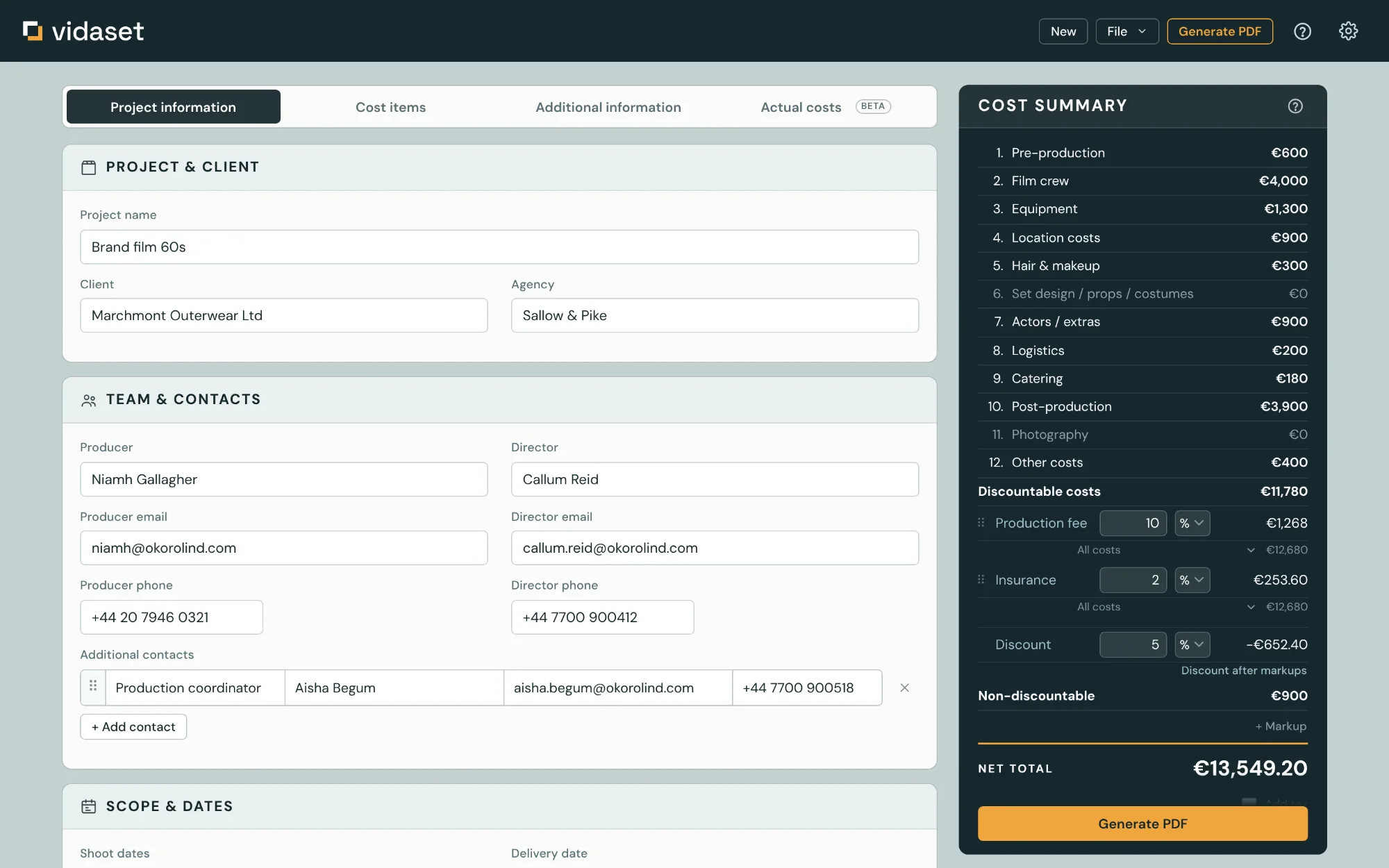
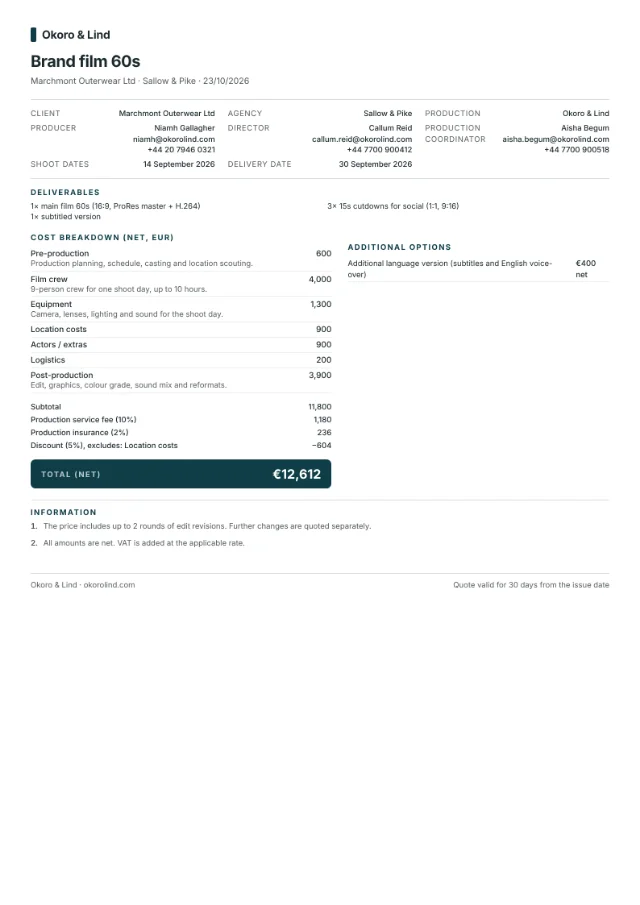
Client, agency, producer, director and as many contacts as the job needs, each with their role. Shoot dates, delivery date and the list of deliverables.
- Your default producer is filled in on every new quote
- Deliverables print as their own section in the document
The estimate
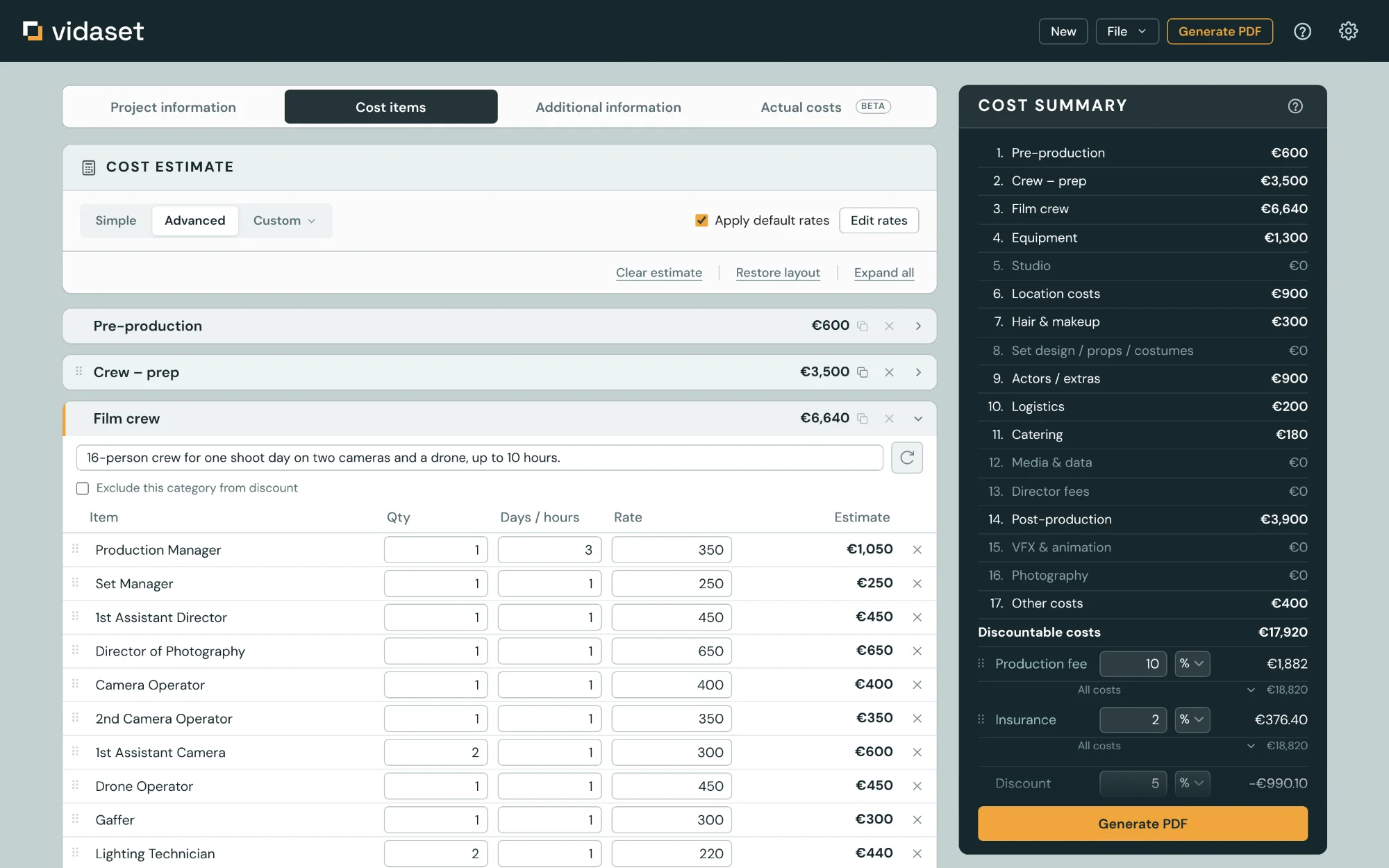
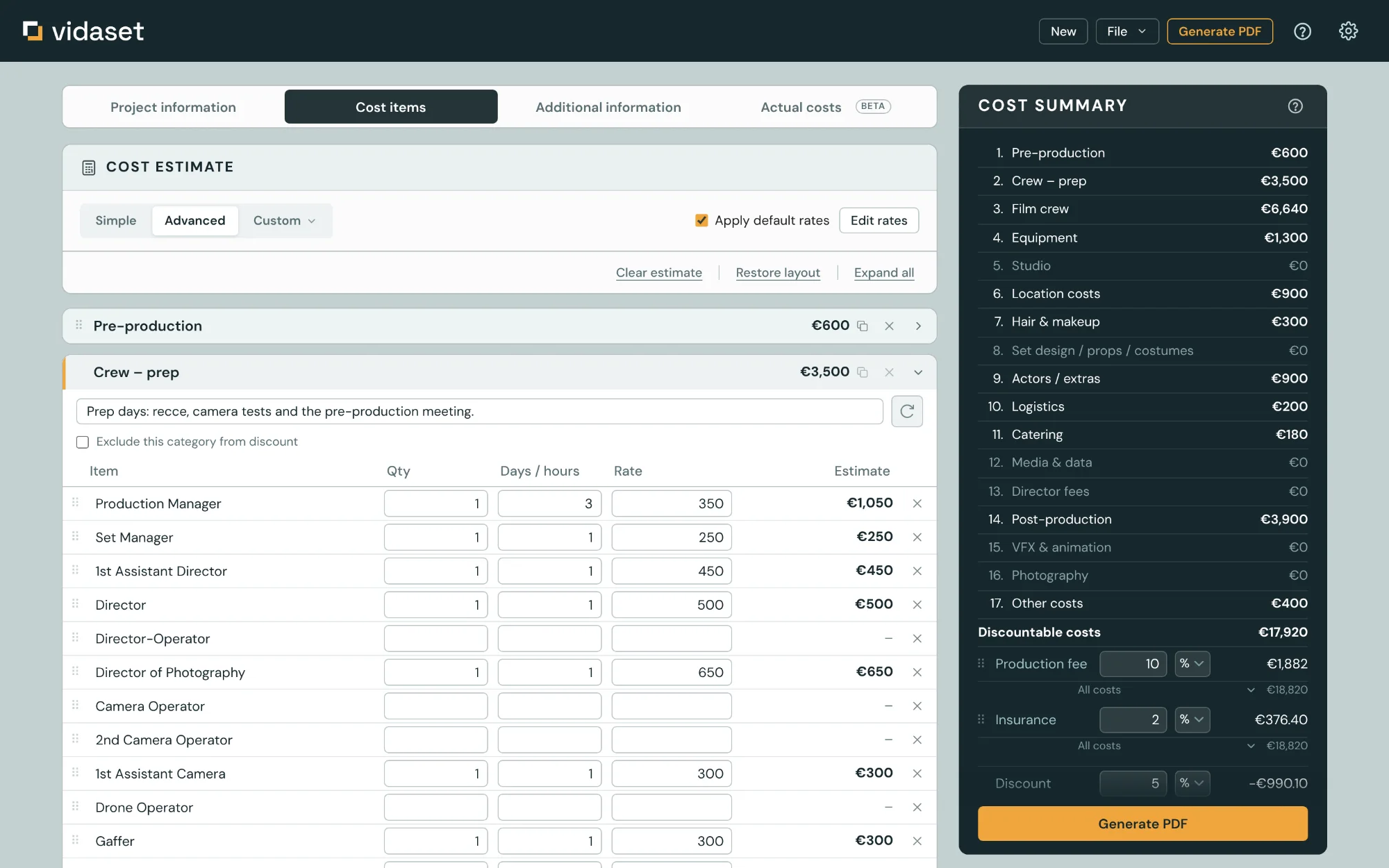
Two item lists. Simple has 55 lines for quick quotes. Advanced has 286, with crew split into prep and shoot days, studio build and prelight days, and post broken down to reformats and cutdowns.
- Every line is quantity × days or hours × rate
- Enter your rates once and they fill in on every new quote
- Save your own categories and item sets for the jobs you quote often
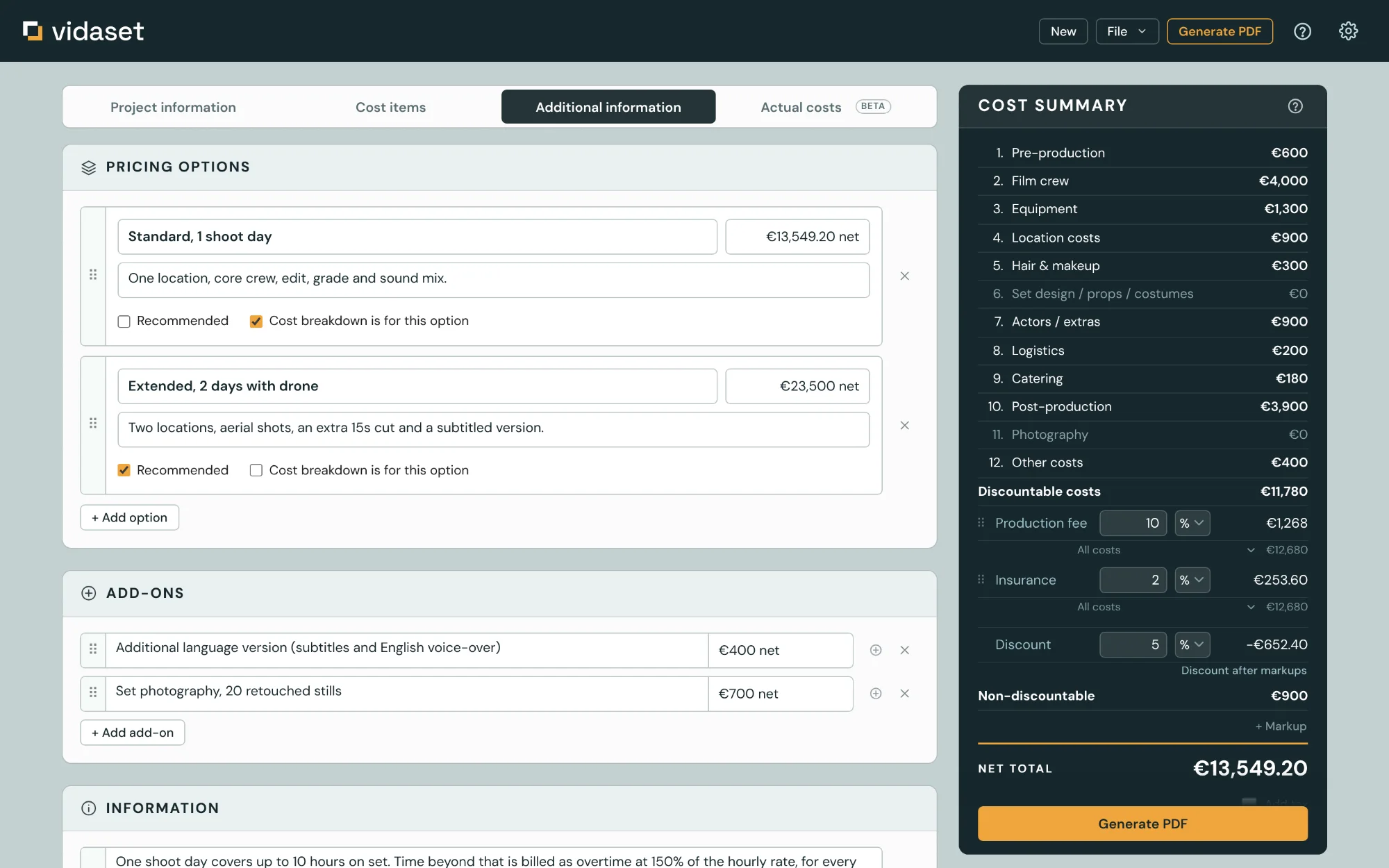
Price options and extras
Price the same job two or three ways. The document shows the options side by side with a description and a price each, and one of them marked as recommended.
- Extras such as a second language version or set photography go in as optional lines
- Extras you offer often are kept in a library and added from a menu
Your brand
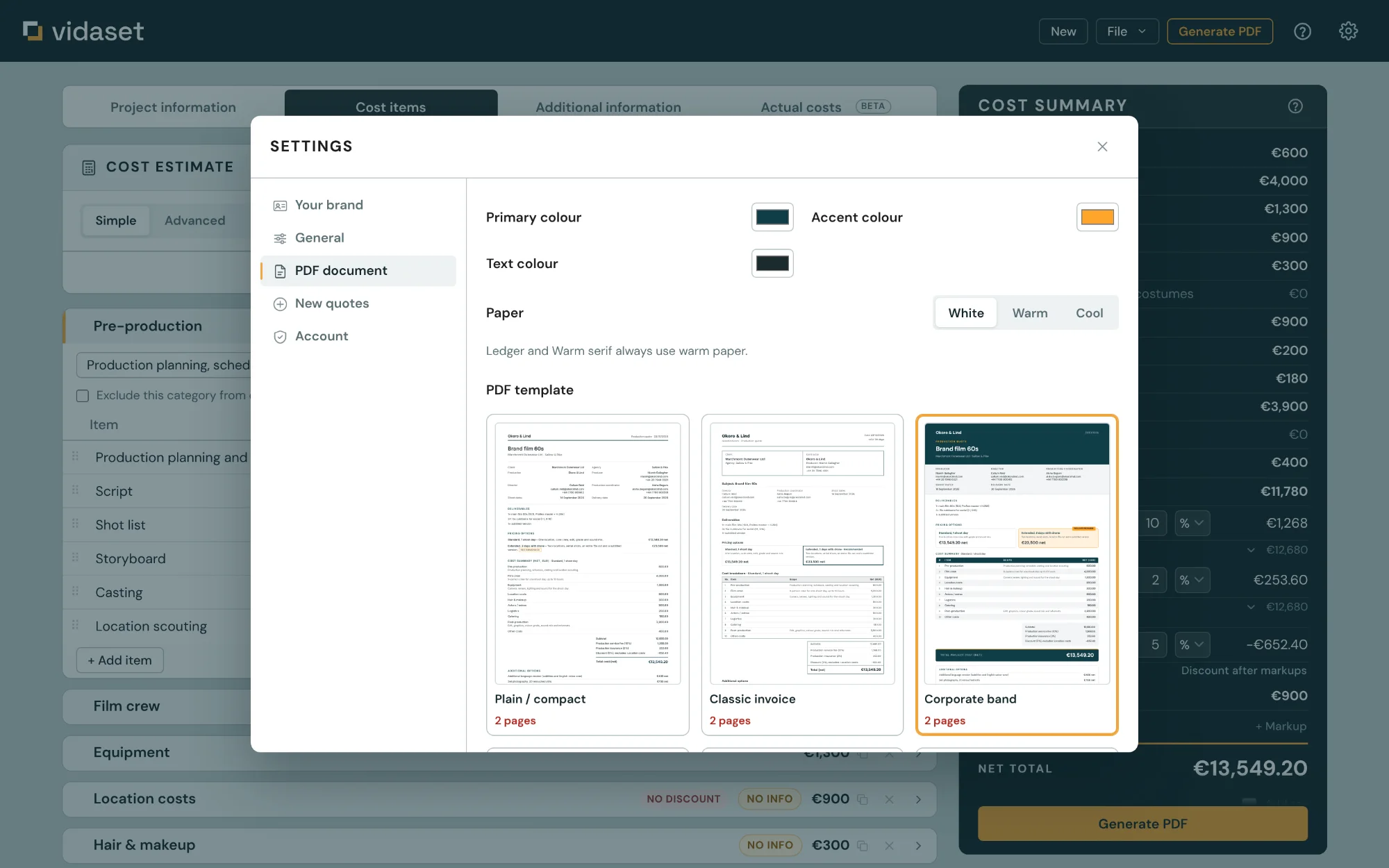
Logo, company name and three colors. The rest of the document palette is calculated from them, with text contrast checked against every background it sits on.
- White, warm or cool paper
- Separate logo for dark layouts, or an automatic light version
The document
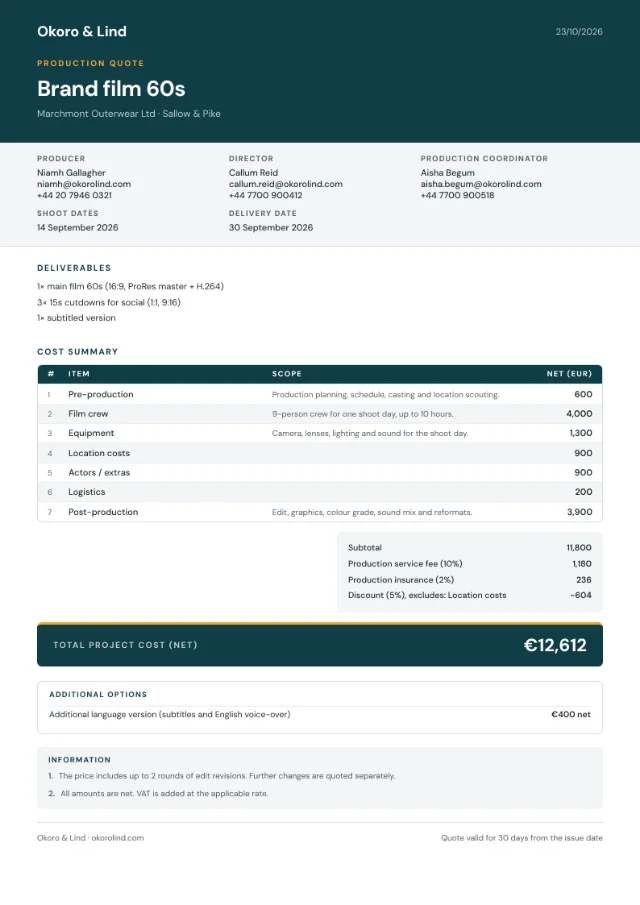
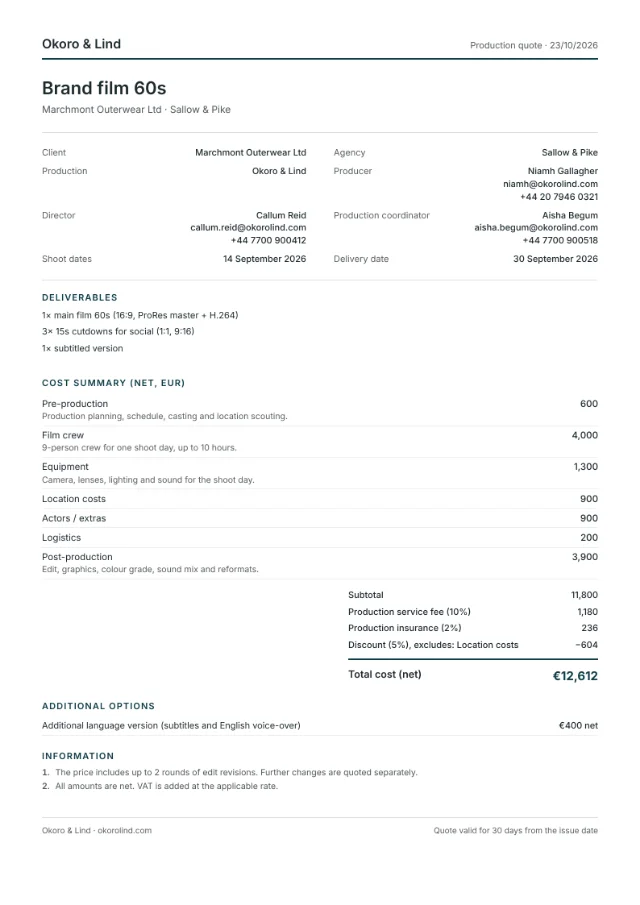
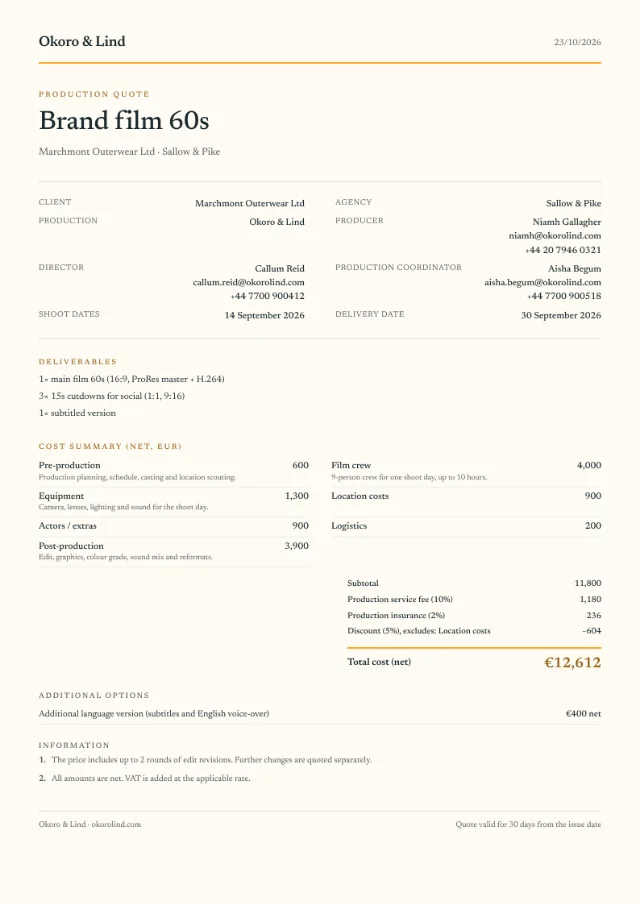
One click exports the PDF. Project details, deliverables, price options, the itemized estimate, your terms and the date the quote is valid until.
- Page breaks are handled by the layout engine
- In seven languages, in any of 158 currencies
- Your standard terms, saved once and added to every new quote
- Net prices, or a total including VAT for private clients
Actual costs
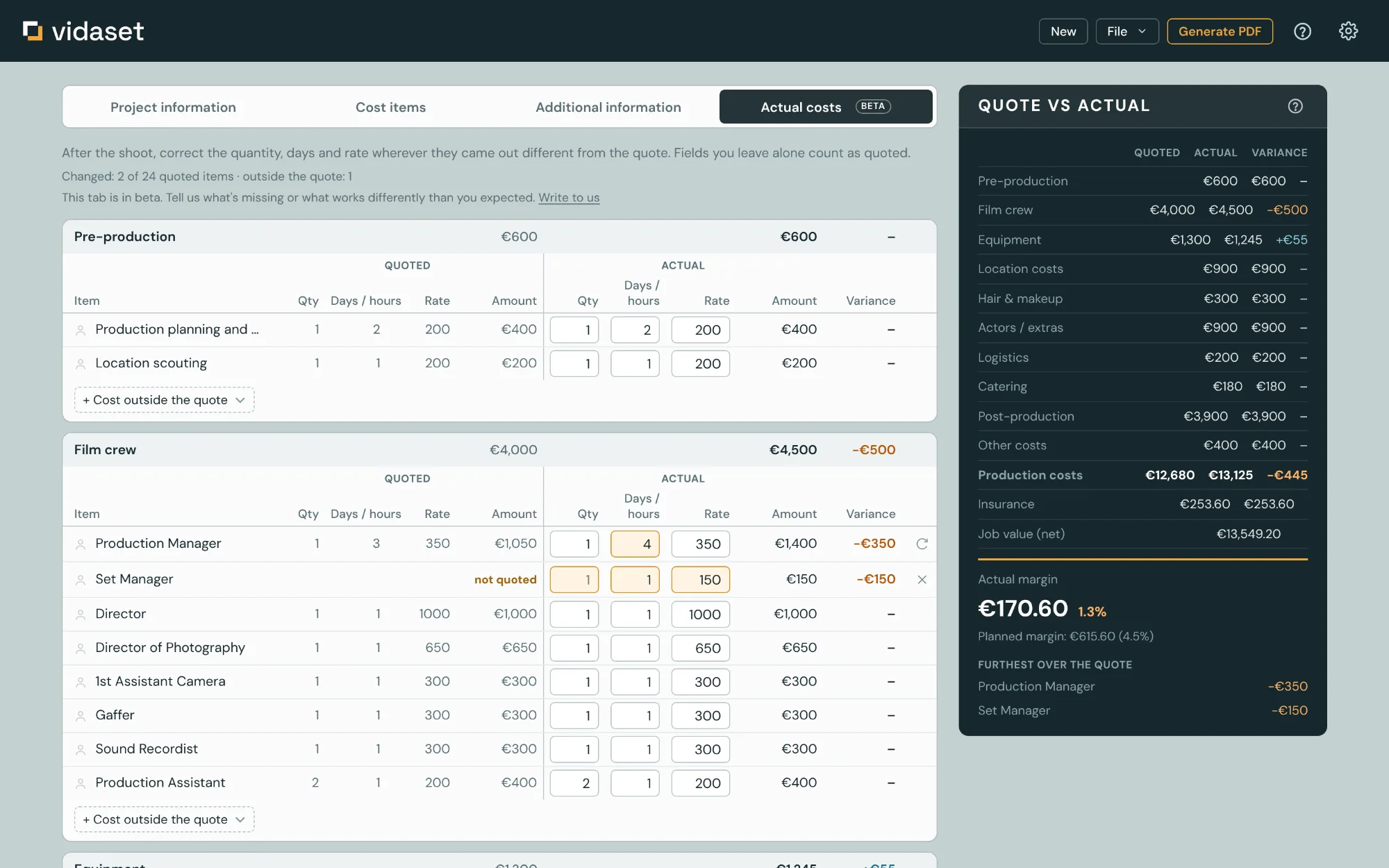
After the shoot you enter what things really cost, whether that is an extra day, a different rate or a cost that was never in the quote. What you planned sits right next to it, and below you see the variance and the margin you actually kept.
- Quote and actual cost side by side, line by line
- Unplanned costs come from the same item list
- The client never sees it. Only the quote goes into the PDF
Cost summary
Fees and markups
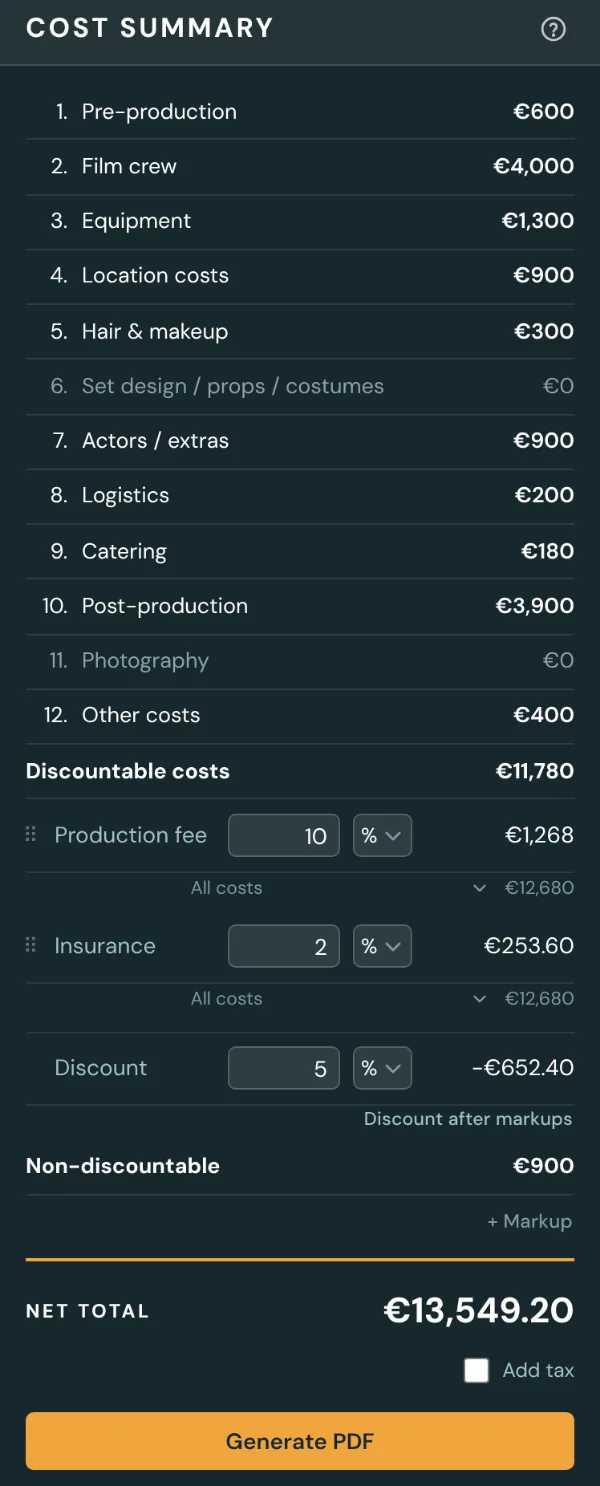
Production fee, insurance and up to three markups of your own. Each one is calculated on production costs, on the total, or on the total including the markups above it.
- You decide where production costs end. The subtotal line sits between categories and prints on the quote where you put it.
- Move a category across that line and the app tells you how much the fee changes.
- Discounts apply only to the categories you tick. Locations, for example, can stay at full price.
Switching over
Coming from a spreadsheet
Most producers quote in Excel or Google Sheets. The estimate in Vidaset works the same way under the keyboard.
↑↓Enter
Arrow keys between cells
Arrows, Enter and Shift+Enter move through the estimate cell by cell.
⌘ V
Paste rows from Excel
Copy a block of rows from an old estimate. Name, quantity, days and rate land in their columns, and extra rows are added to the category.
.vidaset
A file you keep
Any quote can be saved to a file on your disk and opened again later.
Layouts
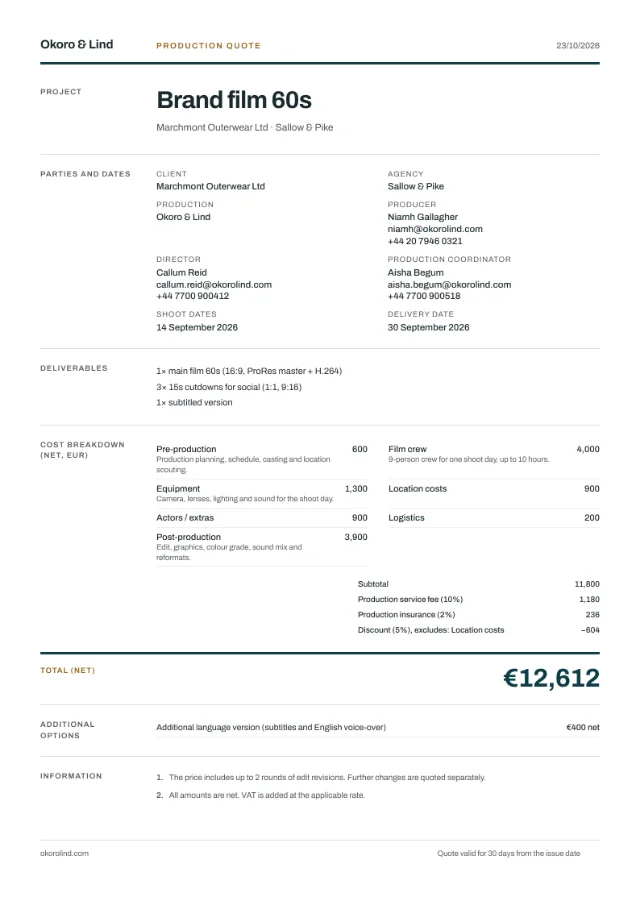
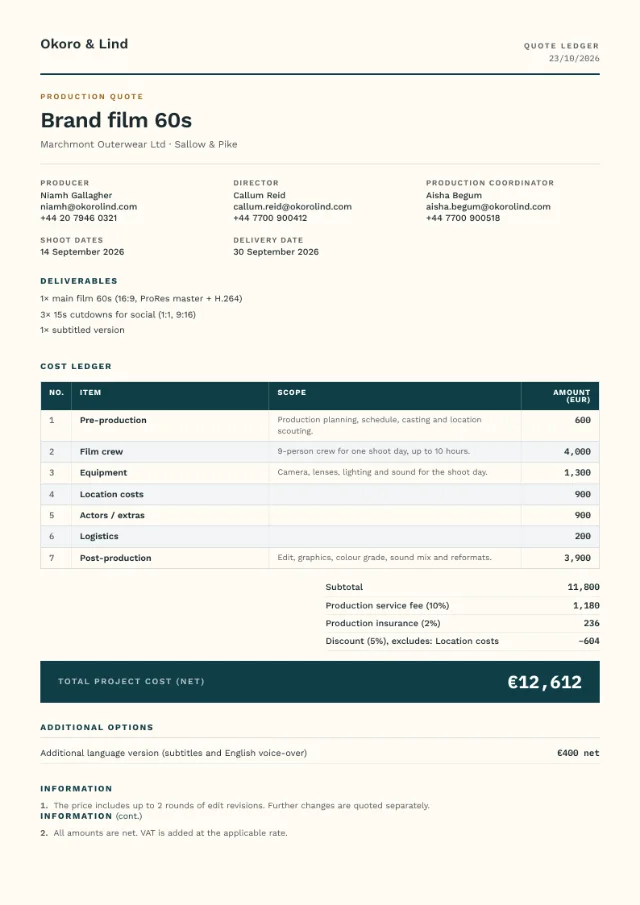
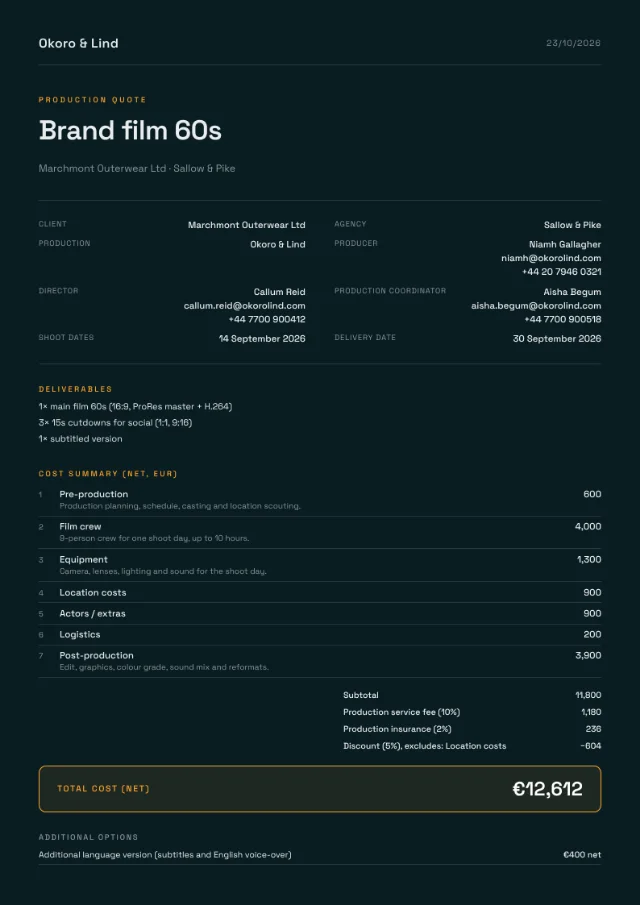
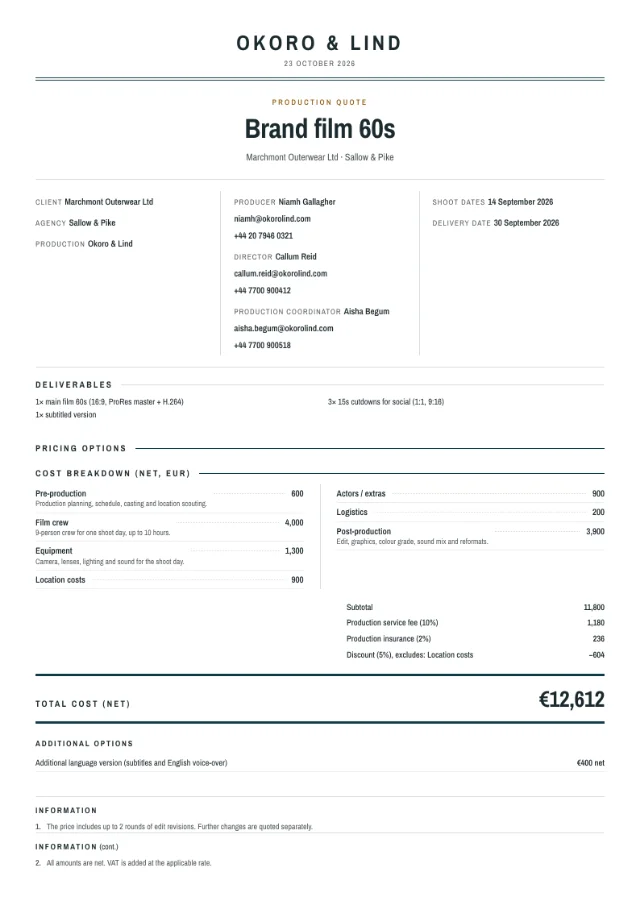
Ten document layouts
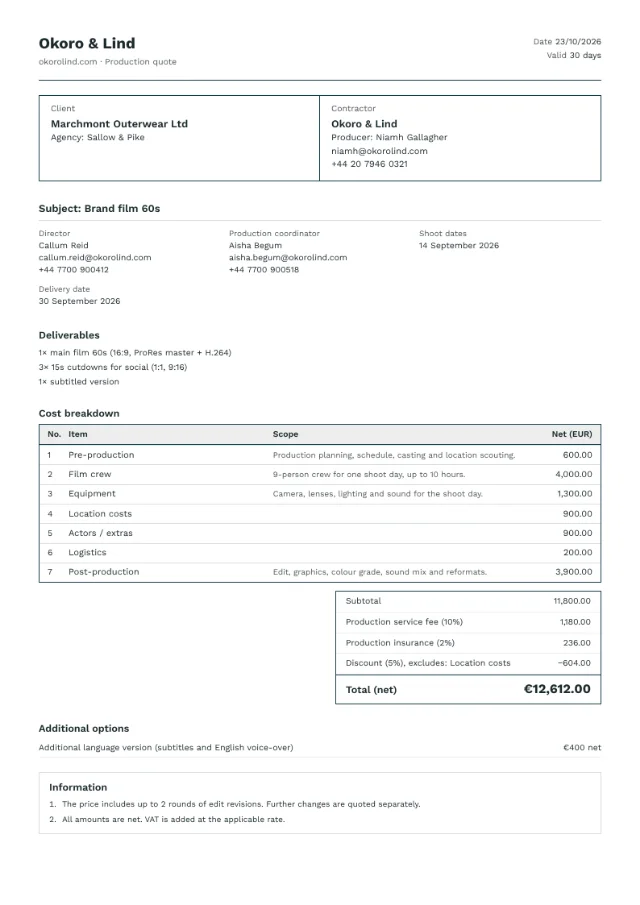
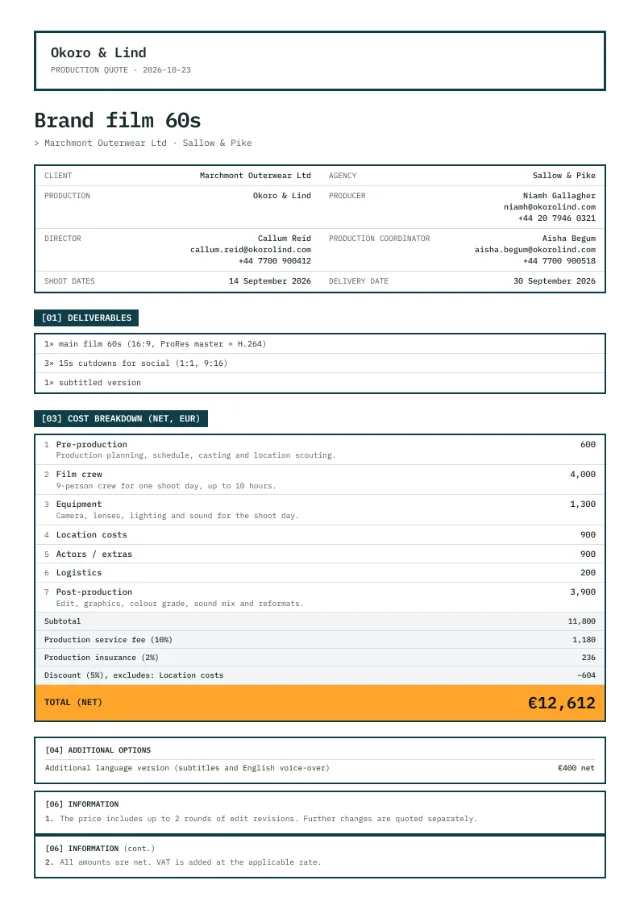
Below is the same sample quote in each layout. You can pick a different one for every client without touching the numbers.
Comparison
Vidaset and a spreadsheet template
| Spreadsheet | Vidaset | |
|---|---|---|
| Line items | Copied from the last job's file | 286 production items with your rates |
| Fees and discount | Formulas to check after every new row | Calculated the same way on every quote |
| Price options | Separate tabs or separate files | Side by side in one document |
| Client PDF | Export, then fix page breaks by hand | Ten layouts in your colors |
| Access | One file on one computer | Your account, in any browser |
Privacy and encryption
Nobody sees your rates but you
A quote is your business knowledge: clients, crew rates, margins. Turn on encryption and every quote becomes a string of characters before it leaves your computer. Without your password nobody can read it, not even us.
- Encrypted in your browser with AES-256, before anything reaches the server
- We never know your password, so we have no way to look into your quotes, even if we wanted to
- Turn it on with one click after signing in or in your account settings, and off the same way
- Work as usual, and on another computer your password is all you need
In your browser
- Client
- Marchmont Outerwear
- Camera operator
- €450 / day
- Markup
- 18%
On the server in Frankfurt
t1.Hq3vL0x9pZ2aR7mWcK4yT1bN8eJ6sD.fG5uV2iO9qX3wA7kP0zM4hB1rC8tY6nE5jL2gS7dU0vI3oQ9aF4xW1mK6pZ8cR2b…
Servers in the European Union
The database runs in Frankfurt. Only the account owner can reach the account’s data, and the database itself enforces it.
A copy always with you
Save any quote and all your settings, from brand to rate card, to a file on your own disk and load them back.
Recovery code
When you turn encryption on, you get a code that opens your quotes if you forget your password. Without the password and the code nobody can recover them, so save it right away.
Encryption is optional. Without it, your quotes are protected by your account password and the database’s security, as in most apps. How encryption works →
Pricing
Plans
Every account starts with 30 days of Pro. After that the free plan works as a demo with three quotes, and Pro has no limits.
Free
A demo for trying Vidaset on a real job
€0
Create account- Every feature of the editor and the document
- 3 quotes in total
- Vidaset mark in the PDF footer
Pro
For producers who quote every week
€19 per month, or $21
€180 per year, or $199
Create account- Everything in Free
- Unlimited quotes
- No Vidaset mark in the document
Prices include tax. Every new account gets 30 days of Pro. During the beta, the first year of Pro is half price, with a 30-day money-back guarantee.
Is Vidaset budgeting software, like Movie Magic or Saturation?
Partly. You cost the whole production in Vidaset, line by line, with fees, markups and discounts, and send the quote from it. After the shoot you compare the quote with actual costs and see the margin you really kept. Vidaset does not run purchase orders, payments or cost reports. Movie Magic and Saturation do.
Who makes Vidaset?
A video production company that quotes its own jobs in it every day, and did so before it became a product. The item list and the default terms come from years of real productions, not from research.
Does it work for a solo videographer?
Yes. The Simple item list has 55 lines and covers smaller jobs. The Advanced list is there for when a crew comes in.
Can I bring an estimate over from Excel?
Yes. Select the rows in your spreadsheet, copy them and paste into the first cell of a category. Name, quantity, days and rate go into their columns.
Does my client need an account?
No. The client receives a regular PDF file.
What does it run on?
A web browser on Mac or Windows. There is nothing to install.
Which languages and currencies are supported?
The app and the document come in English, Polish, German, French, Spanish, Italian and Ukrainian, set separately for each quote, in any of 158 currencies. German, French, Spanish, Italian and Ukrainian are new and in beta.
Where are my quotes stored?
On your account, in a database on EU servers. With encryption on, they are encrypted in your browser before they get there, and nobody but you can read them, not even us. You can also save any quote to a file.
What if I forget my password?
Without encryption, a password reset by email is all you need. With encryption on, after the reset you enter the recovery code you got when you turned it on, and all your quotes come back. If you lose both the password and the code, nobody can recover them, not even us, because we do not have the key.
What is the difference between Free and Pro?
Free is a demo. It has every feature, allows three quotes in total and adds a small Vidaset mark to the document footer. Pro has no quote limit and no mark. Every new account starts with 30 days of Pro, and quotes made during the trial don’t count towards the three.
What happens to my quotes if I stop paying?
They stay on your account. You can still open, edit and print them, with the Vidaset mark in the footer. Only new quotes need Pro.
Try it on your next quote
30 days of Pro for every new account. No card required.